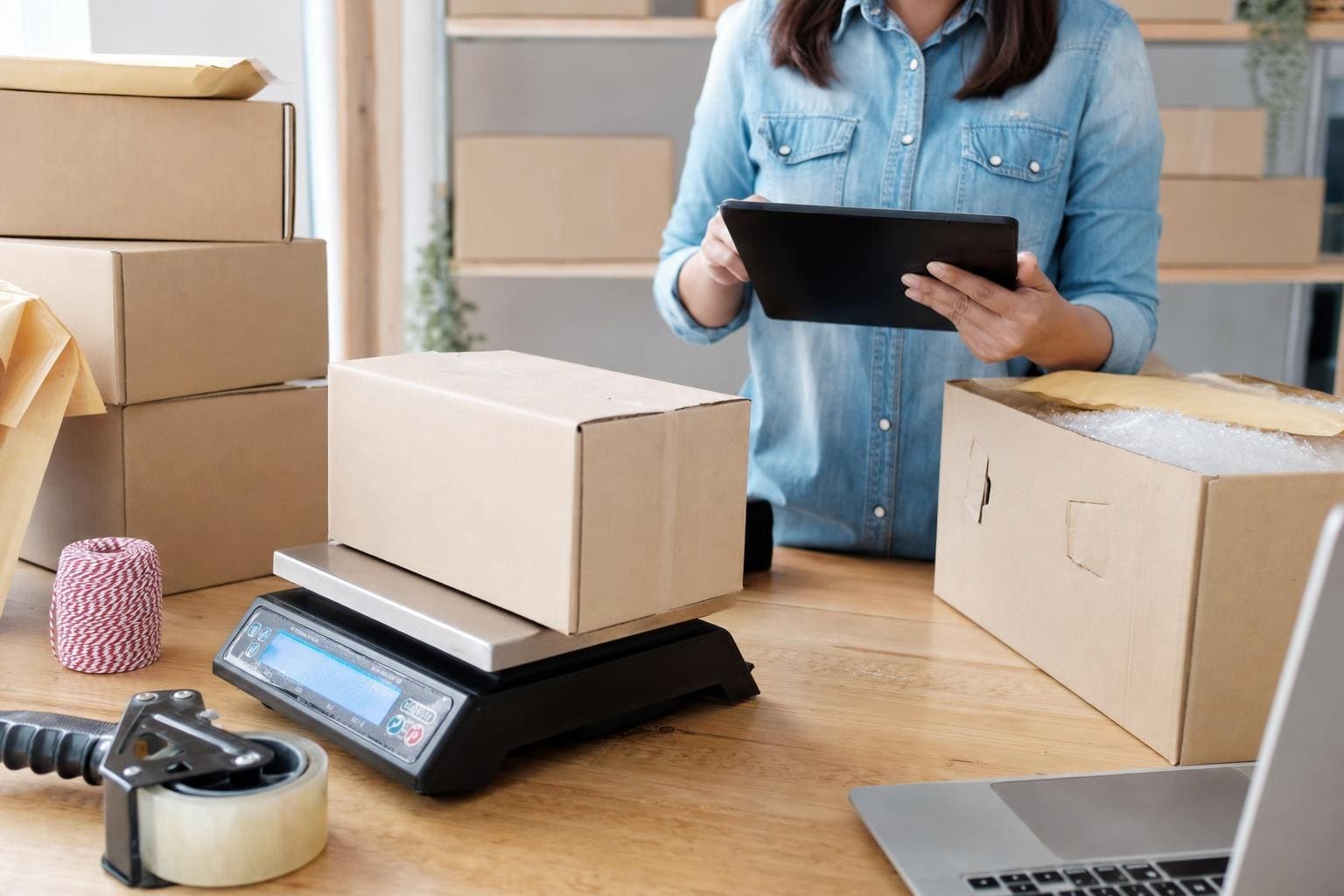
Best Packing Materials For Fragile Items Safeguard Shipments

best packing materials for fragile items

Fragile shipments break when the packing fails, not because the item is inherently weak. Pick the right materials and techniques and most breakage disappears. Use cushioning where impacts happen, stiff support where compression happens, and fit the package so things can’t move.

## Best Packing Materials For Fragile Items That Actually Work
Choosing the best packing materials for fragile items depends on what you’re shipping. Glassware, pottery, electronics, and artwork all need different mixes of protection. But there are consistent winners: sturdy corrugated boxes, layered cushioning, protective corners, and reliable sealing tape. Use those as your baseline, then adapt.

### Core Cushioning Materials And When To Use Them
Bubble wrap, foam, and paper get talked about a lot for a reason. They solve different problems.

– Bubble Wrap: Best for point protection and wrapping irregular shapes. Large bubbles absorb higher-energy impacts; small bubbles pack better around slender objects. Wrap each piece individually with at least two inches of bubble wrap overlap and secure with small pieces of tape.
– Foam Sheets and Rolls: Use foam when you need both cushion and a flat, shock-absorbing layer. Foam peanuts may settle — foam sheets won’t. For electronics, pick anti-static foam.
– Kraft Paper And Newsprint: Cheap, recyclable, and great for filling voids. Crumple it firmly; loose paper compresses and stops protecting. For delicate ceramics, wrap a layer of tissue paper directly on the surface to prevent abrasion, then add kraft paper.
– Molded Pulp: A good, eco choice for bottle-shaped items and electronics. It’s custom-fit, biodegradable, and withstands compression well.
– Air Pillows: Best for void fill in light packages. Don’t rely on them where heavy shifting might compress them flat.

Use fragile packing materials in combinations rather than single items. A wrapped object inside a foam-lined box is better than wrapped-only or foam-only.

### Boxes, Inserts, And Structural Support
All the cushioning in the world won’t help if the box collapses. Pick your box by weight and size.

#### Corrugated Box Strength
Single-wall corrugated is fine for many household items. Use double-wall for dense or heavy ceramics and for long-distance shipments. If you’re unsure, choose the heavier box. Extra stiffness reduces risk of crush during stacked storage.

#### Inserts And Dividers
For sets — glassware, stemware, multiple ceramics — use cardboard dividers or molded trays. They prevent pieces from colliding. Custom foam inserts are worth the cost for high-value items like vintage electronics or specialized instruments.

#### Corner And Edge Protection
Corners take the brunt of drops. Cardboard corner protectors, foam L-profiles, or rigid plastic corners stop edges from chipping. They’re cheap and make a big difference for framed art and mirrors.

### Packing Techniques That Save Items
It’s not just materials; it’s how you use them.

– Three-Point Cushioning: Cushion on the bottom, around the sides, and on top. Don’t leave the top with only a thin sheet of paper.
– No Bare Contact: Never let the item touch the outer box. Use at least 2 inches of protective material around fragile items.
– Secure Movement: If you can shake the box and hear or feel parts moving, add more fill. Movement equals impact.
– Wrap The Way You’d Wrap A Gift: For small round items, wrap snugly in bubble wrap, then place upright in a box with molded pulp or crumpled paper support.
– Layering For Electronics: Anti-static bubble wrap, then foam sheet, then a snug box. Use foam blocks to secure heavier components.

### Tailored Advice For Common Fragile Items
Different items need different priorities.

#### Glass And Stemware
Fragile items packing here must prioritize vibration and side impacts. Wrap each piece individually, stem and bowl separately if possible. Use dividers and keep stems vertical. Cushion the base heavily; many breaks start there.

#### Ceramics And Pottery
Ceramics tolerate some compression but not point impacts. Use foam sheets to spread load and bubble wrap for impact zones. Fill cavities (like vases) with paper to prevent collapse under pressure.

#### Electronics And Sensitive Gear
Electronics need anti-static handling and shock isolation. Use anti-static bubble wrap or foam, and avoid paper that can generate static. For high-value gear, consider instrument cases with custom-cut foam.

#### Artwork And Mirrors
Rigid support comes first. Use double-walled boxes, corner protectors, and plywood or corrugated pads. Wrap glass with tape in an X pattern under a protective layer so shards stay together if it breaks in transit.

### Tape, Labels, And Small Extras
People forget the small stuff until it matters.

– Tape: Use water-activated kraft tape or heavy-duty polypropylene tape with at least a 2-inch width. Tape seams thoroughly.
– Fragile Labels: They help handlers but don’t guarantee gentler treatment. Use them, but rely on packaging strength first.
– Moisture Barriers: For shipments crossing humid climates, use desiccant packs and plastic bags for items sensitive to moisture.
– Strapping And Palletization: For large or heavy fragile shipments, secure boxes on pallets with strapping and corner boards. This prevents sliding and edge damage.

### Eco-Friendly Alternatives That Don’t Sacrifice Protection
You can reduce waste without increasing breakage.

– Recycled Kraft Paper: It’s cheap, crushes into shape, and is compostable.
– Biodegradable Packing Peanuts: They dissolve in water and offer similar void fill to traditional peanuts.
– Molded Pulp: Excellent for bottles and odd shapes; recyclable and sturdy.
– Reusable Foam Inserts: For regular shipments of the same item, reusable inserts pay off fast. They reduce long-term waste and provide consistent protection.

### Testing Your Packing Before Shipping
Don’t guess. Test.

#### Drop Tests And Shake Checks
Drop a boxed package from waist height onto a hard surface in several orientations. If the item shows movement or stress, add more support. Shake the package and listen; if you hear anything moving, fix it.

#### Weigh And Retest
Make adjustments as you increase weight. A padding that worked for a light object might compress under heavier loads.

### Cost vs. Risk: How To Decide
High-value items deserve better materials. For ceramics sold for a few dollars, basic paper and a single-wall box may be fine. For antiques or electronics, spend more on double-wall boxes, custom foam, and insurance. The cost to replace is your guide.

### Common Packing Mistakes To Avoid
People repeat the same errors.

– Overreliance On “Fragile” Labels: Labels don’t protect. Good packing does.
– Underestimating Void Fill Needs: Small empty spaces let items shift and collide.
– Wrapping Multiple Items Together: Wrap each piece separately, then secure them in a divider or molded tray.
– Using Wrong Bubble Size: Large bubbles compress too easily around small, delicate parts. Match bubble size to item fragility.

### Where To Buy Reliable Materials
Buy in bulk from packaging suppliers for the best prices. Local moving companies and some hardware stores carry quality options too. For specialty needs, a packaging engineer or custom foam supplier is worth consulting.

## How To Choose The Best Packing Materials For Fragile Items For Your Business
If you ship regularly, standardize. Create a packing kit for each product type: box size, primary cushioning, secondary fill, and sealing method. Train staff to follow the kit. Track returns and damage rates and tweak materials if patterns emerge.

### Insurance And Documentation
Insure high-value shipments and document condition with photos before packing. If damage occurs, claims go much smoother when you can show the original packing and serial numbers.

#### International Shipping Considerations
Customs, rougher handling, and longer transit times increase risk. Choose moisture barriers, stronger boxes, and allow extra cushioning for international routes. Consider robust outer crates for very fragile or valuable items.

Use these practical choices, and your fragile packing materials will stop being an afterthought. Durable boxes, layered protection, and testing are the pillars of reliable fragile items packing. When you combine the right materials with straightforward techniques, you’ll cut damage claims and keep customers satisfied — often without much added cost.

Be intentional about your packing. A small extra layer of foam or a molded tray can be the difference between a satisfied customer and a refund request because the heirloom dish arrived in pieces. And yes, save labels and tape from returns if you can — reuse where sanitary and safe to reduce waste and cost. Miserhaps one lost bubble or a flimsy corner protector is what causes a claim, so don’t skip the small stuff.

Packing Paper Vs Bubble Wrap Compared For Shipping

packing paper vs bubble wrap

You don’t need a fancy checklist to figure out whether to use paper or plastic cushioning. Look at the item, the box, and what it will face between pickup and the recipient’s porch. Then pick the wrap that actually protects what matters.

## Packing Paper Vs Bubble Wrap: When To Use Each
If you type “packing paper vs bubble wrap” into a search bar, you’ll get opinions, hands-on tests, and marketing blurbs. The useful part is simple: you need protection from impact, abrasion, moisture, and movement. Packing paper handles movement and fills voids. Bubble wrap cushions sharp shocks. That’s the starting point.

### What Packing Paper Does Best
Packing paper is flat, flexible, and cheap. Crumple a few sheets and they collapse into an affordable, odorless cushion that prevents items from knocking together. I use it for dishes, picture frames, and books. Wrap a stack of plates in two or three layers, then nest them in a box with more crumpled paper between each plate. The paper soaks up small shocks and keeps surfaces from scratching.

Paper’s other big plus is breathability. Cardboard and paper won’t trap moisture the way sealed air pockets can, soitems that are vulnerable to condensation or humidity do better with paper. Paper also packs efficiently; a roll takes little storage space and you can tear off exactly what you need.

### What Bubble Wrap Does Better
Bubble wrap, on the other hand, is an air cushion. Small bubbles absorb point impacts. That’s why I reach for it with electronics, glassware that’s unusually thin, and anything with delicate corners. Wrap a frame in a single layer of bubble wrap, then use paper to fill gaps so the item can’t shift. When you’re shipping something that could crack from a drop or get pressure marks, bubble wrap is the insurance you want.

Bubble wrap also conforms to complex shapes better than rigid foam. A few wraps around a ceramic lamp’s base will smooth uneven edges and protect protruding parts.

#### Caution On Pressure And Compression
Bubble wrap performs poorly if the box gets crushed flat. If cartons will be stacked tightly, the air in the bubbles can burst and lose all their cushioning value. Combine bubble wrap with internal reinforcements or use boxes rated for stacking.

## How Shock Absorption And Movement Differ
Understanding how shock absorption and internal movement differ is the key difference between packing paper vs bubble wrap.

### Shock Absorption: Bubble Wrap Wins On Direct Impacts
For a direct jolt—think a corner hitting pavement—bubble wrap dissipates energy across the air pockets. The larger the bubbles, the more energy they can absorb, but large bubbles also compress easier and are less effective for light, fragile items. Small-bubble wrap is better for tiny electronics and jewelry; large bubbles suit heavier ceramics.

### Movement And Friction: Paper Is Better For Preventing Rattling
If an item rattles inside its box, the repeated friction causes scratches and chips. Packing paper grips surfaces and prevents items from sliding. It’s also ideal for filling voids: crumpled paper locks into odd angles and holds heavier items steady.

#### Layering For The Best Results
You don’t have to pick one. A combination is often smarter: one layer of bubble wrap around the item for impact resistance, then pack the box tightly with crumpled paper so it can’t move. That hybrid approach balances shock absorption with anti-shift protection.

## Cost, Storage, And Environmental Trade-Offs
Money matters in shipping, especially if you ship frequently.

### Upfront Cost Versus Long-Term Waste
Bubble wrap costs more per cubic foot than recycled newsprint or kraft paper, and it takes up more storage volume when stored flat. Paper is cheap and lightweight. But bubble wrap can reduce damage claims on very delicate items, which offsets cost.

On the environmental side, paper is easier to recycle in many municipal programs. Some bubble wrap is recyclable where plastic film is accepted, but that’s not universal. If you’re trying to shrink waste, consider the lifecycle: multiple layers of paper may be heavier and increase postage, while single-use plastic adds to landfill if not recycled.

### Storage And Handling
A roll of paper fits neatly on a shelf. Bubble wrap takes more space and can cling to other items, collecting dust. In a busy warehouse, paper is less likely to get crushed and is easier for quick wrapping.

## When To Reach For Packing Paper Alternatives
There are times when neither standard paper nor bubble wrap is ideal. That’s when packing paper alternatives come in.

### Corrugated Inserts And Molded Pulp
Corrugated inserts and molded pulp are rigid but shaped to hold items in place. They’re great for bottles and electronics shipped in bulk. These inserts keep items suspended in the box and eliminate the need for loose fill.

### Foam And Air Pillows
Foam sheets and air pillows fill space without adding much weight. Air pillows can reduce waste over time if you purchase recyclable versions. They’re convenient, but they function more like bubble wrap and less like paper—so use them for impact, not for preventing scratches.

### Biodegradable And Recycled Options
Biodegradable packing peanuts and recycled paper pads give you protective properties with less long-term waste. For sellers hypersensitive to greenwashing, these packing paper alternatives can be a genuine improvement.

Use the phrase packing paper alternatives when you’re looking for something that balances cost, protection, and sustainability.

## Real-World Examples That Clarify The Choice
Here are short, practical examples from actual packing scenarios.

### Shipping Kitchenware
I shipped twenty ceramic plates to a customer once. Using only bubble wrap would have been overkill and expensive. I wrapped each plate in two sheets of packing paper, nested them with paper crumpled between, and put a corrugated insert on the top and bottom. Result: zero breaks, and postage stayed reasonable.

### Sending A Glass Sculpture
A glass sculpture with fine edges went out with three layers of bubble wrap and then a box within a box. The inner box had paper padding to stop movement. That combo protected against both impact and compression from stacking.

### Sending Books Or Clothes
Books and textiles rarely need bubble wrap. Tight packing with paper prevents rubbing and saves space. For soft goods, paper reduces creases more than plastic does.

## Shipping Cost, Weight, And Dimensional Considerations
Postage calculators use weight and dimensions. Paper is light; bubble wrap adds bulk and sometimes weight depending on how tightly you pack the box.

### Dimensional Weight Versus Actual Weight
If an item is light but bulky, carriers might charge dimensional weight. Bubble wrap increases box size, so for low-value, large items, choose paper or more compact cushioning. If you use bubble wrap, compress the package carefully without crushing fragile items.

### Avoiding Oversize Fees
A well-packed box with paper that fills voids can often be a smaller size than a bulky, bubble-wrapped package that leaves empty space. Think size optimization: tightly packed boxes cost less.

## Handling And Presentation
Presentation matters for customer experience. Bubble-wrapped items scream “fragile” but can feel plasticky. Paper gives a cleaner, premium impression when done right.

### Wrapping For Unboxing
Retailers who sell fragile items often use bubble wrap for safety, then layer tissue paper on top for presentation. That way the customer gets both protection and a nicer unboxing moment.

#### Labeling And Fragile Stickers
Labels don’t fix poor packing, but they help handlers take care. Combine labeling with proper cushioning and you reduce the chance of damage.

## Quick Decision Guide
If you want a fast rule of thumb: use paper for rigidity, anti-scratch, and filling; use bubble wrap for direct-impact protection. If you’re shipping something valuable and fragile, use both.

Here’s a final practical thought: test your packing method. Drop the packed box from waist height and feel whether the item moves or registers a jolt. If it does, add more bubble wrap or redesign internal supports. If it’s still shifting, use more paper or a molded insert. That simple test saves returns and the headache of a bad customer review—trust me, I’ve been there and had to explain why a vase arrived in pieces after I thought I was being careful. I now always test random packages before sending in bulk to avoid having to recieve returns and complaints.

Best Shipping Boxes for Small Business Packaging Solutions

best shipping boxes for small business packaging

If your packages arrive damaged or expensive to ship, customers notice. Choosing the right box is the fastest, cheapest way to cut returns and protect your brand.

## Best Shipping Boxes For Small Business Packaging Options
Picking the best shipping boxes for small business packaging starts with a clear sense of what you sell. Thin, flat prints need different protection than ceramic mugs or electronics. The wrong box wastes material and raises your costs; the right one can shave pounds off dimensional weight and make unpacking feel thoughtful.

### Know Your Product Dimensions And Weight
Measure the largest, bulkiest item you ship. Add a little wiggle room for padding. A box that is too big forces you to add filler; too small crushes contents. Use the product plus padding as your standard, and group items by similar size. This reduces the number of box sizes you keep in stock and simplifies packing.

#### Quick Rule Of Thumb For Sizing
– Leave 1 to 2 inches of space on all sides for cushioning.
– When shipping fragile items, aim for at least 2 inches of padding.
– Keep similar-sized SKUs together for consistent packing.

## Corrugated Vs. Mailer: What To Choose
There’s a lot packed in the phrase “shipping boxes,” but most fall into two camps: corrugated boxes and padded mailers. Corrugated boxes are strong and stackable. Mailers save space and weight for soft, non-breakable goods.

### Single Wall, Double Wall, And Bursting Test
Single-wall corrugated boxes work for light to medium items. Double-wall is better for heavier goods or when boxes might be stacked. Suppliers often list a “bursting test” or ECT (edge crush test) number; those figures predict how the box will handle stress. When in doubt, choose a higher rating for taller stacks or heavier products.

#### When To Use Double Wall
Use double-wall if your items are:
– Heavy (over 20 lbs)
– Prone to crushing
– Shipped long distances where rough handling is likely

## Materials And Sustainability Considerations
Customers ask about recyclability more than they did five years ago. Cardboard typically recycles well, but not all options are equal. Kraft boxes use unbleached paper and have a natural look that many small brands like. Recycled-content boxes reduce your footprint and often qualify for eco labels you can show on packaging.

### Balancing Sustainability And Protection
Recycled or lower-weight cardboard can be fine for many products, but test for durability. Replacing a customer return or reshipping because of a torn box cancels any environmental win. Order samples and ship test orders yourself. Real-world tests beat specs.

## Cost Per Package: The Hidden Numbers
Price per box is a simple metric, but it hides shipping cost impacts. A cheaper, oversized box can increase dimensional weight and raise carrier fees. Compare the full equation: box cost, filler cost, average weight, and dimensional weight charges.

### How To Calculate Real Cost
Take one SKU and run the numbers for three box sizes. Add the box price, packing materials, and carrier fees based on weight and DIM factor. Multiply by monthly shipments of that SKU. That gives you a real sense of savings or loss when you change box sizes.

## Customization And Branding Without Breaking The Bank
Custom-printed boxes look great but can be expensive at low volume. There are smart middle paths: custom labels, one-color stamps on kraft boxes, or printed tape. These give you brand presence without a huge minimum order.

### Low-Minimum Options That Still Look Good
– Custom tissue paper or stickers inside the box.
– Stamped logos on kraft boxes in a single color.
– Branded packing slips and inserts.

## Packaging Supplies That Pair Well With Boxes
Good boxes are only half the system. The rest is filler, tape, and handling. Bubble wrap is familiar, but paper-based crinkle fill is cheaper to store and easier to recycle. Inflatable air pillows save space in your warehouse, but check that your recipients can recycle them.

### Tape And Sealing Best Practices
Use high-quality tape sized to the box width. Apply the H-tape method: one strip down the middle, two across the sides. For heavier or international shipments, reinforce the seams. Cheap tape fails, and a blown-out seam is a visible brand problem.

## Where To Buy: Suppliers For Small Runs And Bulk
There are three supplier types most small businesses use. Local packaging distributors, national online wholesalers, and marketplaces that connect you with manufacturers. For mixed SKU assortments, a local supplier that allows small-case orders or cut-to-size services is invaluable.

### When To Switch Suppliers
If you’re burning time assembling a kit due to a mismatch in box sizes, switch. If the supplier’s lead times balloon during peak season, look for backup suppliers now. Stockouts in packaging are as harmful as product stockouts.

## Box Types By Product Example
Look at what others ship to borrow ideas. Phone accessories often live in padded mailers or small two-piece tuck-flap boxes. Apparel is typically shipped in poly mailers or flat-mailer boxes. Fragile, one-off gifts benefit from compartmentalized corrugated boxes or molded inserts.

### Specific Pairings That Work
– Ceramic mug: double-wall corrugated with molded pulp insert.
– T-shirt: kraft mailer with tissue and a thank-you card.
– Electronics: foam or corrugated inserts within a snug box.

## Packing Workflow: Make It Repeatable
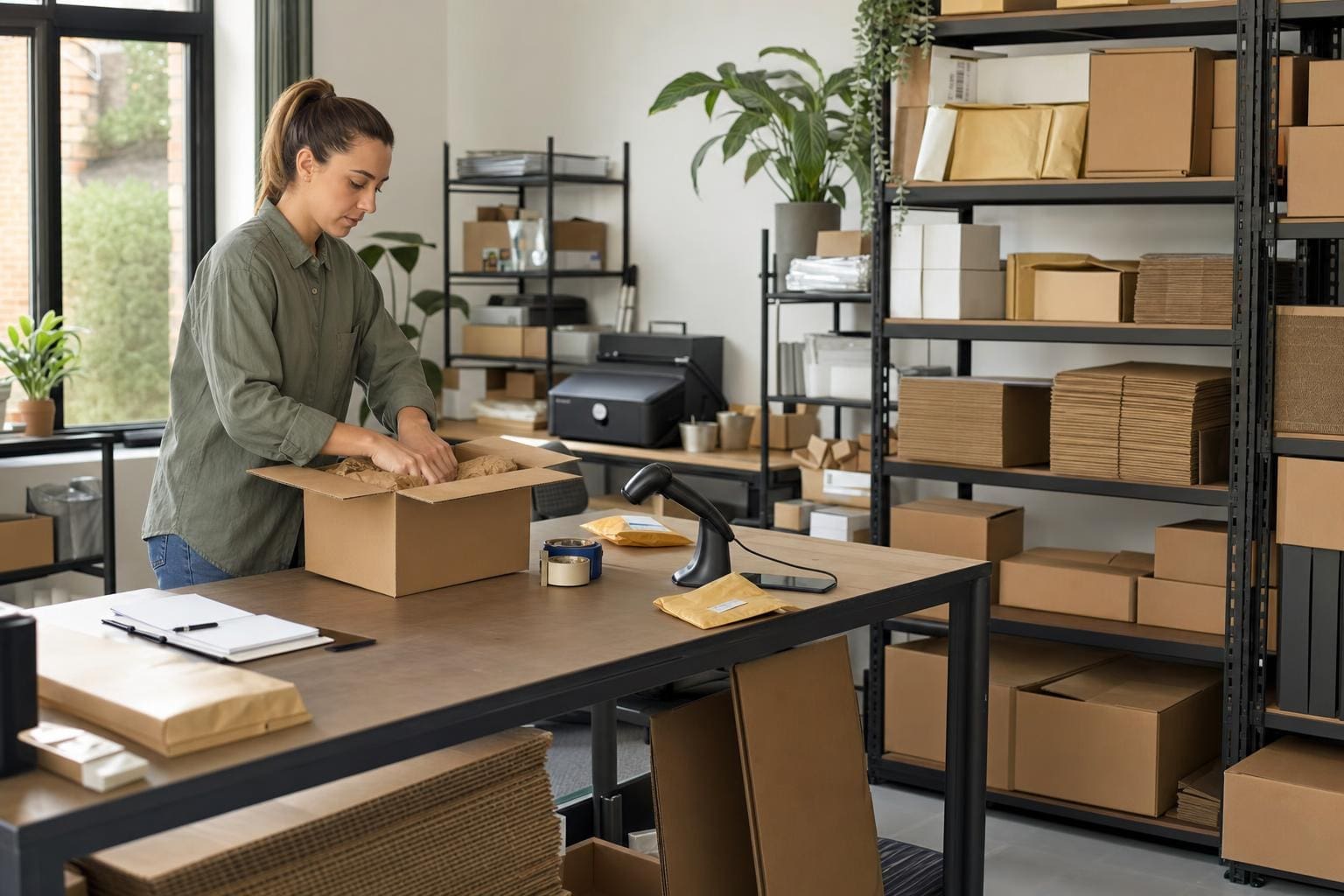
A repeatable process reduces mistakes. Design a packing station that holds one box size per SKU or SKU group, with tape, label printer, and filler within arm’s reach. Train packers to use the same padding amounts. Consistency means fewer returned items and faster fulfillment times.

### Small Tweaks That Increase Speed
Place tape dispensers at chest height to reduce bending. Pre-fill air pillows or have a dispenser near the station. Keep box sizes laminated and visible so new hires can choose fast.

## Testing And Quality Control
Ship a subset of orders through your usual carrier and inspect them on arrival. Use deliberate rough-handling tests in-house. Track damage incidents and map them back to box types to identify failure patterns.

### What To Include In Your Test Log
– Box size and grade
– Filler type and thickness
– Shipping distance and carrier
– Damage type and photos

## Pricing Strategies Around Packaging
Some businesses absorb packaging costs; others add a small fee or fold costs into product pricing. Either way, calculate the packaging cost per unit and make it visible in forecasting. If you change box types, update your cost of goods sold.

### When To Charge For Packaging
Charge a fee if your packaging is premium—custom boxes, inserts, or eco-certified materials. Customers will accept a small extra if it reflects perceived value.

## Common Mistakes Small Businesses Make With Boxes
One mistake is hoarding a dozen box sizes “just in case.” That creates clutter and slows packing. Another is letting cheapest unit cost drive decisions without modeling dimensional weight. And businesses sometimes forget to test for international shipping rules and restrictions.

### Fix These Fast
– Consolidate to 3–5 box sizes covering 80% of orders.
– Run DIM-weight models monthly.
– Keep an international shipping checklist for restricted materials or labeling.

## When To Consider Proprietary Solutions
If you’re shipping thousands of units a month, a custom right-sized box program pays off. Some suppliers offer on-demand die-cutting with low MOQ when you agree to a quarterly purchase plan. That reduces filler use and enhances brand experience.

There’s no single “best” answer. The best shipping boxes for small business packaging are the ones that protect your product, fit your shipping profile, and reflect your brand without adding unnecessary cost. Test, measure, and iterate. You’ll find the mix that works, and your customers will notice the difference in how their order arrives—careful, tidy, and easy to open, not a jumbled mess they have to adress and complain about after it’s been dented in transit.

Bubble Mailer Vs Box Which Is The Superior Shipping Choice?

bubble mailer vs box

You don’t get a second chance to stop a dented product from ever reaching a customer. Pick the wrong package and you’ll pay for it with returns, refunds, and a bad review. Pick the right one and the whole process runs smoother, cheaper, and less stressful.

## Bubble Mailer Vs Box: How To Choose
When you boil it down, the bubble mailer vs box decision is a trade-off between weight/space and protection. Both options have clear advantages and clear limits. Use the wrong one and you’re either wasting money on postage or gambling with the item’s safety. Use the right one and shipping becomes routine.

### Weight And Dimensional Pricing
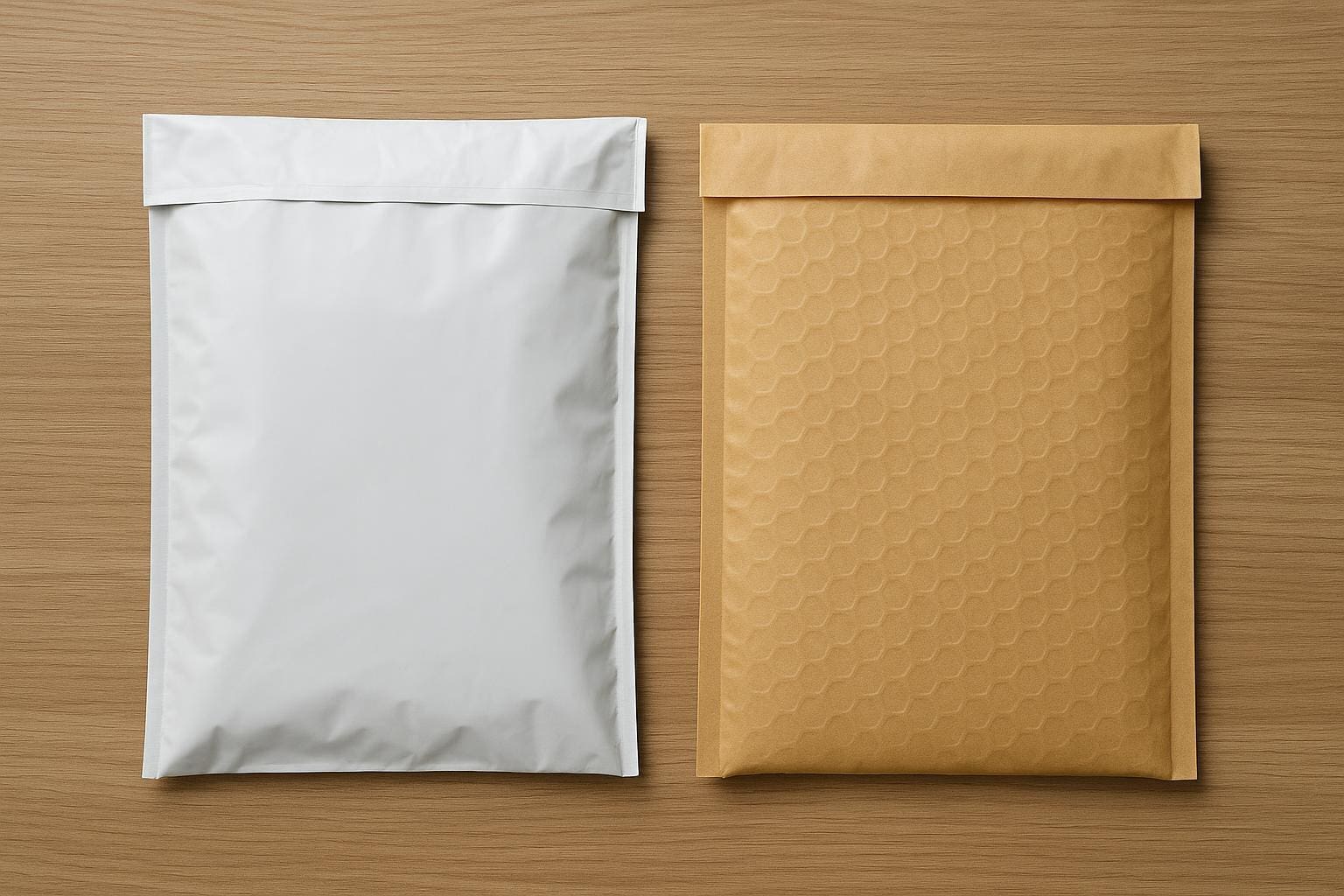
Shipping carriers charge for actual weight and sometimes dimensional weight. Boxes fill space; if a box is large but light, carriers may bill you for more than the physical weight. A padded poly bubble mailer often saves money for small, light, non-breakable items because it compresses and keeps the package compact. That’s where bubble mailer use really shines.

However, when an item needs a lot of filler to stop it from moving inside a box, the extra cubic inches can push you into a higher dimensional weight bracket. In those cases a snugly fitted box or a smaller parcel often costs less than stuffing a large box with cushioning. The math changes depending on carrier and destination, so run a few postage estimates before committing.

### Protection And Product Type
Not all products are created equal. Soft goods like tee shirts and fabric masks can survive a ride in a bubble mailer with minimal padding. Hard, brittle, or oddly shaped items usually need the stable, rigid protection a box provides.

A box will absorb crushing, point loads, and repeated stacking better. Corrugated walls resist punctures and distribute force. But don’t assume a box fixes everything: a fragile item in a box with nothing to stop internal movement is still vulnerable. That’s where good packing technique matters as much as the outer package.

#### Small, Flat Items Work Better In Mailers
Prints, small books, stickers, and jewelry in branded pouches often ship fine inside a bubble mailer. The mailer keeps things compact and reduces materials used. For art prints, slip a piece of chipboard in front and back to stop creases. For jewelry, use a tiny box inside the mailer if there’s any concern about snagging.

#### Fragile Or Multi-Item Orders Should Use Boxes
If you ship a set of items, or anything with a screen or glass, go with a box. Use corrugated inserts, kraft paper, or biodegradable foam peanuts to eliminate movement. Double-boxing is rare but useful for high-value electronics or fragile ceramics that might face rough handling.

### Cost And Speed Trade-Offs
The total cost isn’t just postage. You pay for the outer package, any inner packing, label printing, and return costs if a claim is made. Bubble mailers are cheap to buy and fast to pack. Boxes cost more to stock and take longer to assemble. But a damaged product shipped cheaply can be more expensive than a slightly pricier box that arrives intact.

For fast shipping, carriers handle mailers differently at sort hubs. Mailers move quickly because they collapse; boxes get stacked and scanned differently. If you sell high volumes and your goal is predictable delivery times, standardizing to a mailer or a box size reduces surprises.

## Packing Practicalities And Branding
Packaging is also a brand touchpoint. A clean box with tissue, a thank-you note, and a secure fit creates a better unboxing experience than a plain mailer for premium goods. But keep it honest: don’t wrap a fragile glass item in a flimsy pouch just because it looks good.

### Storage And Assembly
Space matters in a real way. Flat mailers occupy a fraction of the storage footprint of boxes. For small sellers with limited space, keeping a few sizes of mailers is easier than dozens of box sizes. Boxes take time to fold, tape, and label. That labor cost scales every day.

If you’re shipping seasonally, mailers let you expand capacity quickly without buying a bunch of box sizes. They stack flat, are lighter to carry, and speed up packing lines. On the other hand, if you’re shipping a consistent product mix, having a couple of right-sized boxes can reduce postage and protect items better.

### Sustainability And Materials
Paperboard boxes are widely recyclable; corrugated cardboard is collected by most municipal programs. Bubble mailers are trickier. Many padded poly mailers are mixed materials—plastic outer layer, air bubble lining—making them harder to recycle in curbside programs. Some brands offer paper padded mailers or recyclable poly mailers, but you should check local recycling guidelines.

Sustainability is part of customer perception. If you claim to be eco-friendly, shipping in a single-use padded poly bag may feel off-brand unless you’ve chosen recyclable or compostable options. For returns, reusable packaging ideas are growing, but they work best with boxes rather than single-use mailers.

## When To Use Each: Practical Rules
There’s no single rule that fits every seller, but a few practical thresholds help decide between a bubble mailer and a box.

– If the item weighs under one pound, is small, and won’t be crushed, a bubble mailer is usually cheaper and faster.
– If the item is fragile, oddly shaped, or part of a bundle, choose a box for predictable protection.
– If dimensional weight jumps your postage, find a smaller box or a mailer that keeps inches down.

Think of it like triage. Low-value, soft items go in mailers. High-value or fragile items go in boxes. Mid-range items need a case-by-case look at postage math and materials cost. Also consider returns: a broken product generates a higher return burden than saving a few cents on postage.

### Real-World Examples
Shipping sunglasses? A small corrugated tuck box inside a padded mailer works well. That combines the compactness of the mailer with the structure of a small box. A single paperback book usually fits fine in a bubble mailer with a bit of cardboard to prevent bending. Phone accessories like cases travel well in mailers too.

For a ceramic mug or a framed print, choose a box and pack it properly. Multiple items that fit together tightly in a box reduce the need for filler. For a set of three small glass bottles, a box with dividers solves the problem; a mailer would be a gamble.

When you sell high-ticket items like electronics, always default to a box and insure the package. The cost of a claim is not worth the few dollars saved on packaging. Keep the reciept and photos when you pack; carriers ask for evidence during claims.

## Quick Decision Flow
Ask three questions: How fragile is the item? How big is the item? What’s the postage math? If fragility is low and size is small, pick a mailer. If fragility is moderate to high, pick a box. If dimensional weight inflates postage, try a smaller package or a different carrier rate. That simple flow handles most day-to-day choices without overthinking.

### Mailer Vs Box: Customer Experience Considerations
Customer perception matters. Someone buying a premium candle expects a carefully packed box with branding, not a crumpled mailer. Conversely, a customer buying a basic phone cable wants speed and a fair price. The mailer vs box decision should match the product’s price point and the brand promise.

### Bubble Mailer Vs Box In High-Volume Operations
If your operation ships hundreds of packages daily, standardize. Choose a small set of box sizes and a couple of mailer types that cover the majority of SKUs. Measure your top-selling items and create packing templates. Automation saves time and reduces mistakes. Use weight sensors and pre-configured postage settings to avoid surprises. In high-volume contexts, the minor cost difference between mailers and boxes compounds quickly, so test both for a few weeks and compare damage and return rates.

Make the choice based on predictable logic, not habit. If damage rates spike after switching from boxes to mailers, switch back. If postage bills fall without a rise in returns, you’ve found a better option. Keep records, test packaging changes, and iterate.

There is no universal winner in the mailer vs box debate. The right pick depends on the product, the shipping lane, and the expectations you want to set. Choose deliberately and pack like you mean it.

Order Free USPS Shipping Supplies Online For Businesses

order free usps shipping supplies online

## How To Order Free USPS Shipping Supplies Online

If you run a small business and ship product regularly, you should be ordering free usps shipping supplies online. It’s not glamorous, but the right boxes and envelopes save time, protect goods, and keep costs predictable. USPS makes a lot of common items available at no cost—Priority Mail boxes, flat-rate envelopes, labels—and you can request them for delivery to your business address. That alone removes one more chore from your workflow.

### Which Items You Can Request

USPS offers a surprisingly long list of free items. The obvious ones are Priority Mail and Priority Mail Express boxes in various sizes, plus padded flat-rate envelopes. They also provide free padded and non-padded mailers, large parcel boxes, and small reclosable bags for small parts. For businesses that ship apparel or soft goods, poly mailers are a useful free option when available.

#### Specifics You Should Know

– Priority Mail boxes come in standard and flat-rate sizes. Use the flat-rate ones when weight would otherwise push shipping costs up.
– There are also free labels and prepaid postage supplies tied to Click-N-Ship and Business Customer Gateway services.
– Customs forms for international shipping can be printed from USPS and, in many cases, supplied physically for you to fill out.

### How To Order: Step By Step

First, set up an account on the USPS website if you don’t already have one. From the Business Customer Gateway or the main supplies page, you can place requests for shipment. The usual flow is straightforward: choose the items you need, add them to a cart, and provide a delivery address. Then wait for the supplies to show up at your door.

You can also schedule bulk deliveries if you place frequent, larger orders. That’s handy if you prefer to have a known supply rotation and avoid a last-minute scramble before peak selling days.

### Why Businesses Should Use The Free Options

There’s a practical side to using free usps supplies beyond cost savings. These boxes and envelopes are designed to meet USPS specifications—meaning they’ll fit automated sorting equipment and reduce the risk of manual handling delays. That matters when you’re trying to get orders out quickly. You’re also likely to avoid problems with box crush or tape that fails in transit because the USPS packaging is made for shipping, not retail display.

### Limits, Wait Times, And Availability

USPS doesn’t give unlimited supplies to every request. Limits depend on the item and on demand. During high seasons, some boxes run out sooner. Expect delivery of ordered supplies in about 3–7 business days in most areas. If you need something faster, you can sometimes pick up supplies at a local Post Office if they have inventory.

If you notice consistent shortages of a particular size, you can alter packaging choices—use slightly larger boxes with packing fill, or consider reusable packaging that you keep in stock. The key is to adapt rather than rely only on one size or style.

### Integrating Orders With Your Shipping Workflow

When you order free usps shipping supplies online, think about how they fit into your packing line. Keep commonly used sizes at arm’s reach, and store specialty items in a separate bin. Mark the inner dimensions and weight limits on storage shelving; that avoids mistakes when someone else packs orders.

For businesses using shipping software, many systems tie directly into USPS. That means once you buy labels through Click-N-Ship or a third-party provider, you can print postage and drop off packages. Some services even print pre-paid return labels you can include in outbound shipments.

### Small Business Hacks For Saving Time And Money

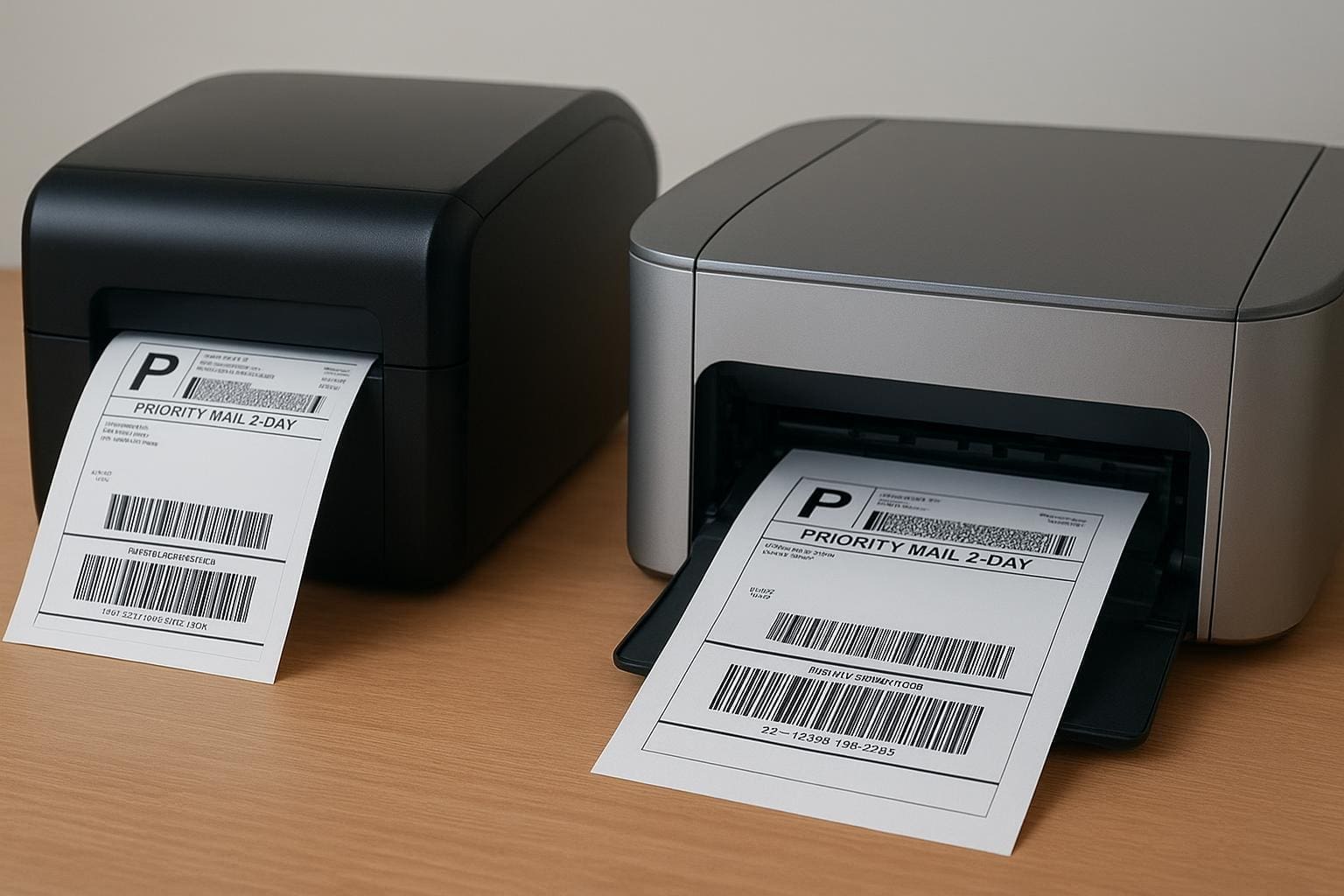
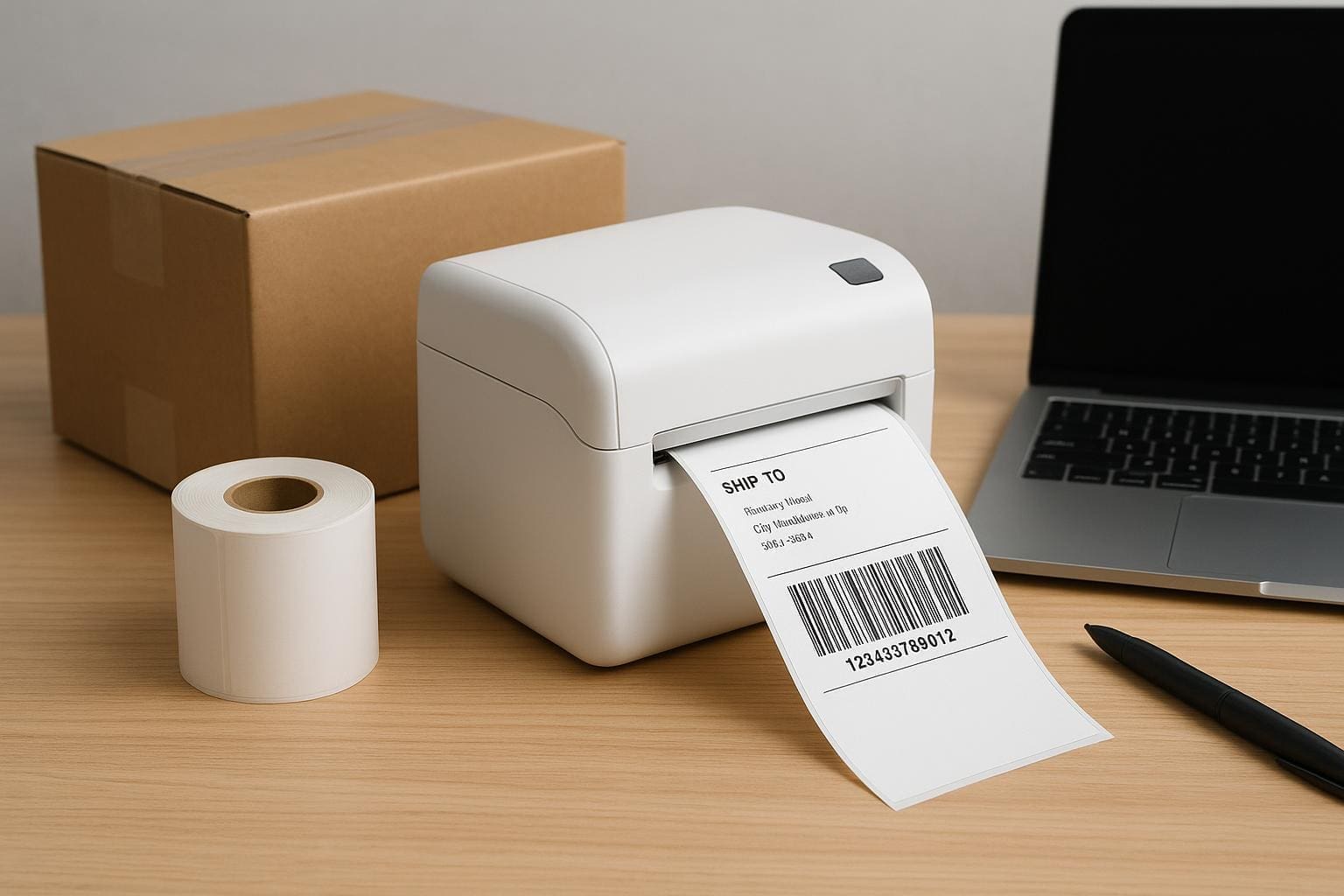
A few practical moves make a real difference. Pre-print commonly used labels or use a thermal label printer to speed up packing. Order a steady supply of the padded mailers and one or two sizes of boxes that cover most SKU sizes. For heavier items, learn the thresholds where parcel pricing jumps and pick packing strategies that minimize crossing that line.

If your business does a lot of returns, request free return envelopes and set up an easy returns process. It reduces friction for customers and can lower customer service costs. You can also schedule weekly pickups so you don’t waste time driving to the post office.

### Understanding Priority, Flat Rate, And Commercial Pricing

USPS’s free supplies often pair with Priority Mail and flat-rate options. Flat-rate boxes are handy when weight is high but dimensions are consistent. If you ship in high volumes, you may qualify for commercial pricing, which lowers postage compared to retail rates.

Order free usps shipping supplies online and then compare postage options in your shipping software. In many cases, buying supplies and shifting packaging choices reduces overall freight expense.

### International Shipping Considerations

When sending packages overseas, customs paperwork is key. USPS provides customs forms online and sometimes supplies physical forms with orders. Keep spare CN22 or PS Form 2976 packages handy if you do a lot of international fulfillment.

Be mindful of country-specific restrictions and required labeling. The wrong paperwork holds up shipments for days. If you ship internationally regularly, invest time in learning the typical hold-ups per destination.

### Branding Without Sacrificing Cost

Free usps supplies are plain by design, but you can brand without inflating costs. Use self-adhesive logo stickers, branded packing tape, or printed inserts inside packages. These small touches create a better unboxing experience without needing custom boxes.

If you want to add a gift-like presentation, tuck a thank-you card into the package. It’s inexpensive, and customers notice.

### What To Do If Items Don’t Arrive Or Are Damaged

If an order for free supplies doesn’t arrive, first check your order status on the USPS site. If it’s marked delivered and you didn’t recieve it, file a missing mail search. For damaged supplies, photos help when you report the issue. Keep records of what you ordered and any discrepancies—this speeds up resolution.

### Automation And Bulk Ordering For Larger Operations

Larger businesses can make ordering supplies part of a recurring process. Many fulfillment shops set automatic monthly orders for their most-used items. That keeps inventory flowing without manual reorders.

If you ship thousands of packages a month, talk to your USPS representative about supply programs. They can sometimes tailor delivery schedules to your needs and help ensure consistent availability.

### Common Packing Mistakes To Avoid

People often choose the wrong sized box—either too big or too small—and both choices cause problems. Oversized boxes mean higher shipping costs and risk of contents shifting; undersized boxes risk crushing. Don’t forget to measure girth correctly for cylindrical items.

Insufficient cushioning is another repeat offender. Even with a sturdier USPS box, items that can move need protection. Add bubble wrap, crumpled paper, or packing peanuts where necessary.

### Where To Find The Best Help And Documentation

USPS has clear online guides for business customers. The Business Customer Gateway has resources for commercial pricing, bulk pickups, and label printing. There are also community forums and shipping blogs with real-world tips—places where you’ll find the kind of tacit knowledge post office staff won’t always volunteer.

### When To Consider Third-Party Supplies

Sometimes you need special packaging that USPS doesn’t provide—branded boxes, rigid inserts, or unique sizes. In those cases, supplement free usps supplies with third-party packaging purchased in bulk. Balance the budget: use free USPS items where they work, and spend on custom pieces only where they add measurable value.

### Final Practical Notes On Ordering

When you order free usps shipping supplies online, use an address that will reliably accept deliveries—ideally the business address where staff can put orders away immediately. Track inventory monthly and set reorder triggers so you’re never down to the last box. And remember: small tweaks—like switching a popular SKU to a poly mailer—often drop costs more than negotiating shipping rates.

Keep these habits up and shipping becomes one less thing to think about. With steady supply planning and simple systems in place, you’ll feel the difference in both time saved and fewer packaging headaches.